How to check or reload your Amazon gift card balance
Table of Contents
Dust off those Amazon gift cards — Amazon Prime Day is back and runs from Tuesday, June 23, to Friday, June 26 (and plenty of great deals are available).
If you previously redeemed a gift card and want to check the remaining balance, we’ve got you covered. We'll also explain how to reload a gift card. Follow the steps below to make sure your Amazon gift cards are ready for the four-day Prime event. Happy shopping!
How to check your Amazon gift card balance on your desktop
Follow these quick steps to check or reload your Amazon gift card balance from your computer browser:
You May Also Like
- 2 minutes
- Computer
Step 1: Navigate to Amazon
Open the Amazon website.
Step 2: Accounts & Lists
Click on Accounts & Lists in the top right corner of the screen.
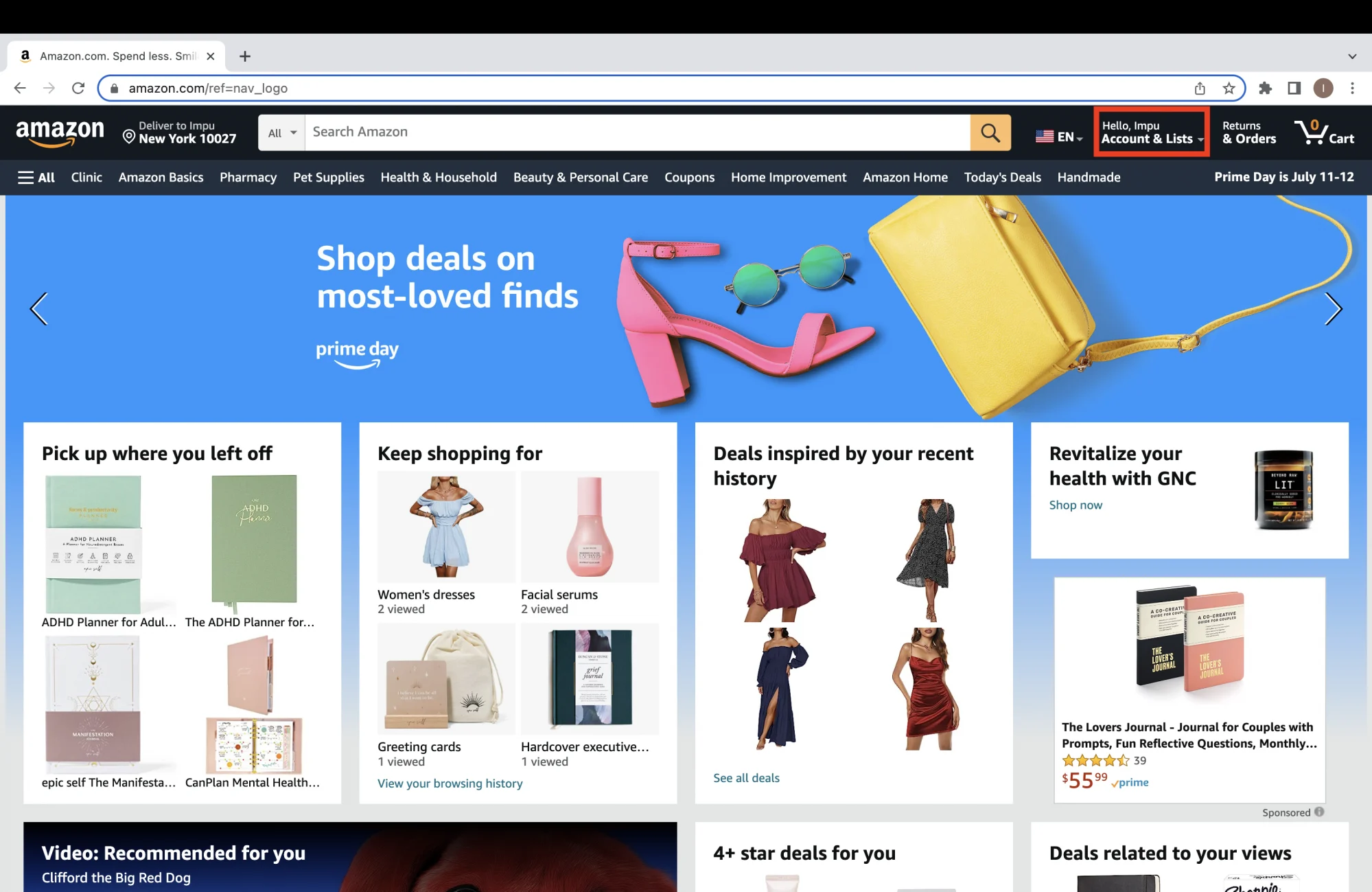
Step 3: Select Gift cards
A new menu page will open on the website. Select Gift cards.
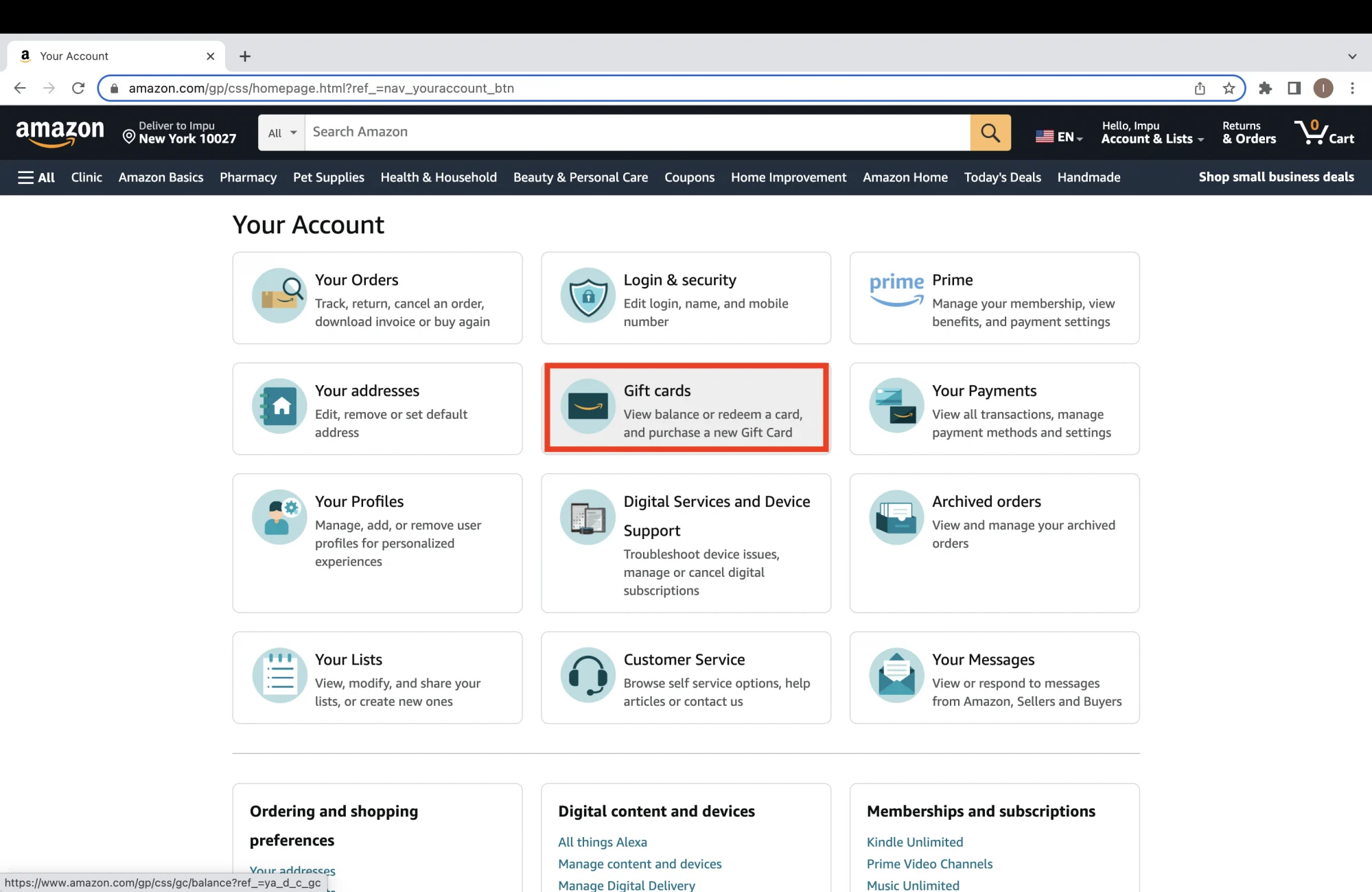
Step 4: Redeem or reload gift card
Once you click, you'll be able to see the existing balance on your gift card. If you are checking the balance on an unredeemed gift card and wish to redeem it, you can click on Redeem a Gift card. You can also opt to Reload your card in this menu or check your transaction history, which is listed below the gift card balance.
How to check your Amazon gift card balance in the app
Follow these simple steps to check or reload your Amazon gift card balance from your phone or tablet:
- 2 minutes
- Smartphone
Step 1: Go to Account
Open the app and click on the account icon at the bottom of the landing page (the little person illustration). Then choose Account at the top of the landing page.
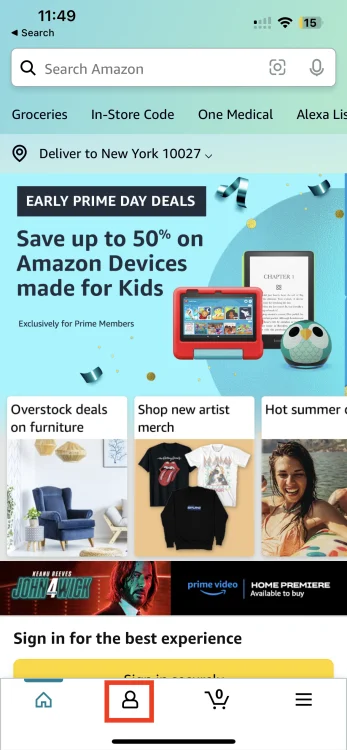
Step 2: Navigate to Payments
Scroll down until you see the Payments section.
Step 3: Manage gift card balance
In the Payments section, click on Manage gift card balance.
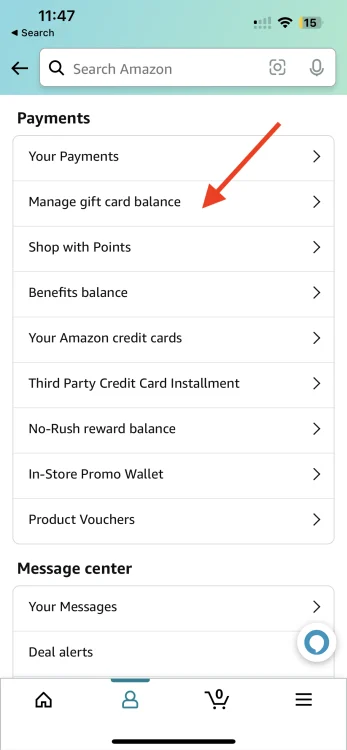
Step 4: Check balance or reload
Use the new menu that opens to check your gift card balance, reload your gift card, or check past activity.
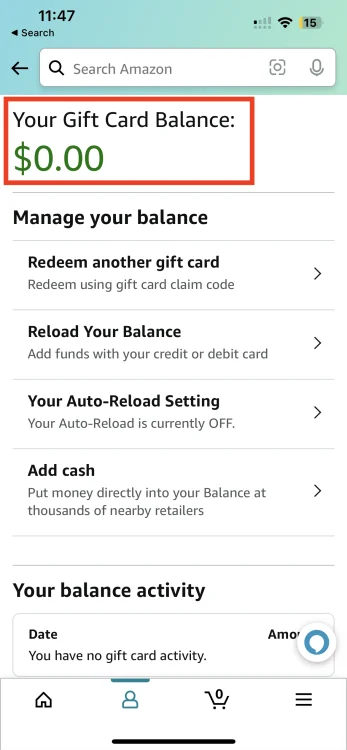
Topics Amazon Apps & Software Prime Day
Frequently Asked Questions
Amazon is kicking off its annual Prime Day on June 23, 2026. The sale will run all the way through June 26, with new daily deals dropping throughout the shopping event.
What won't be on sale during Amazon Prime Day? Amazon will offer deals across practically every category, including smart home devices, Kindles, Apple gadgets, robot vacuums, headphones, and other popular tech, as well as subscriptions to its own services like Audible and Kindle Unlimited, and streaming services. Check out Mashable's Prime Day hub for deals across all categories and subcategories.
Remember, most deals will be available exclusively for Prime members.

Source link